Digital Advisor Workstation
UI/UX Design
Project Objective
To design and develop conceptual wireframes for a mobile and desktop application that will assist financial advisors in planning and organizing client portfolios. The app should be intuitive, flexible, innovative, and customizable to meet the specific needs of the target audience: financial advisors aged 28-45.
Internship project: L&OD at Innova Solutions
November 2024 - February 2025
Team members: Chermia Mathis and Anjani Dabkara
Research
Our Target Audience: Financial Advisors
What they do:
Evaluate a client's financial health and goals. They consider factors like age, career, family, and priorities.
Help clients create a personalized plan to meet their goals. This can include budgeting, investing, and tax planning.
They can recommend investments, insurance, and other products. They can also help clients select investments or invest their money on their behalf.
Teach clients about financial health and habits.
They can monitor clients' accounts and make changes to improve performance or accommodate life events.
Streamlined tech and tools
Access to reliable, up-to-date financial data
Compliance and regulatory support
Educational resources for clients
Needs
Time consuming administrative tasks
Hard to navigate interface
Complex compliance requirements
Client acquisition and retention
Pain points
Preferences
user-friendly platform
Automated client communication
Analytical and predictive insights
Customizable reporting tools
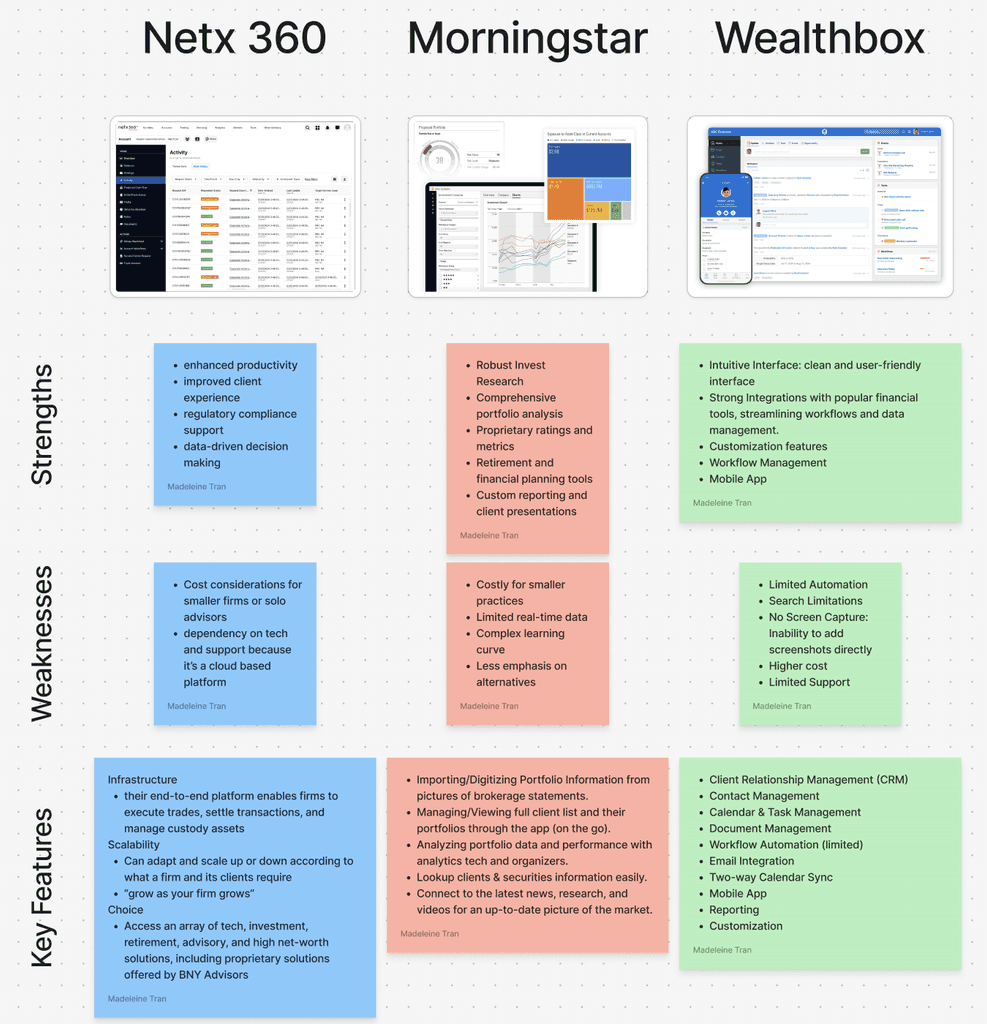
Market Research
In order to understand and familiarize ourselves with our client's work, we were tasked with researching other existing financial advisor platforms. Through doing this, we were able to see existing necessary features, and develop our application based on the gap in the market.
Prototyping
Ideating
Our client, an internal team at Innova Solutions, requested an interactive desktop and mobile prototype. Working with our Subject Matter Expert (SME) from our client's team, we got a strong foundation and workflow to begin iterating upon.
Dashboard v1
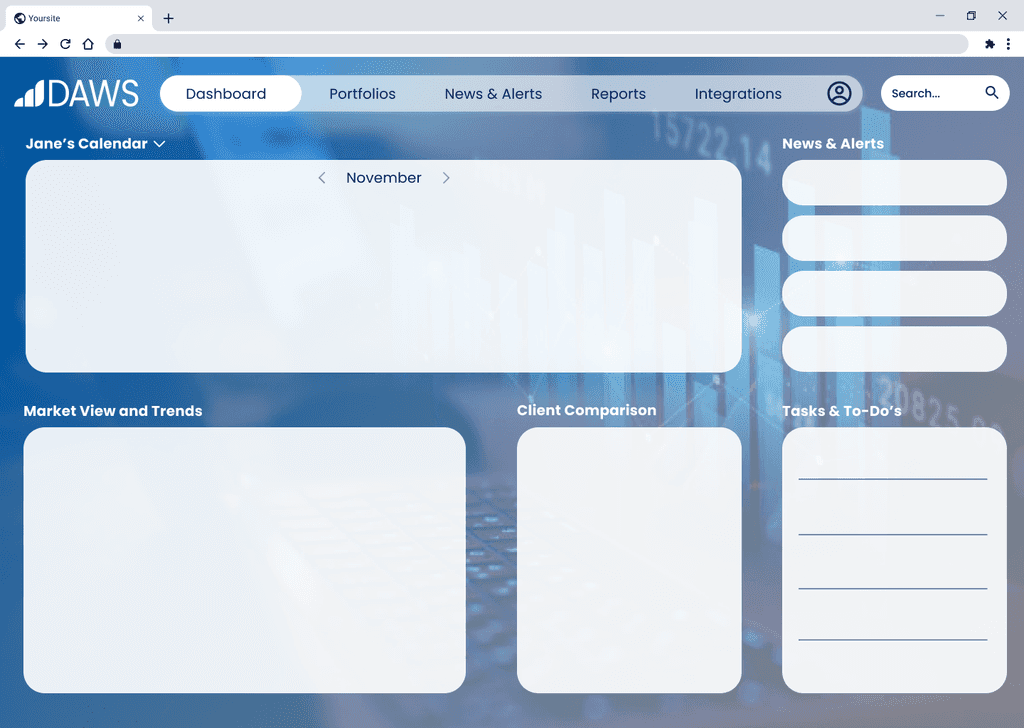
My work
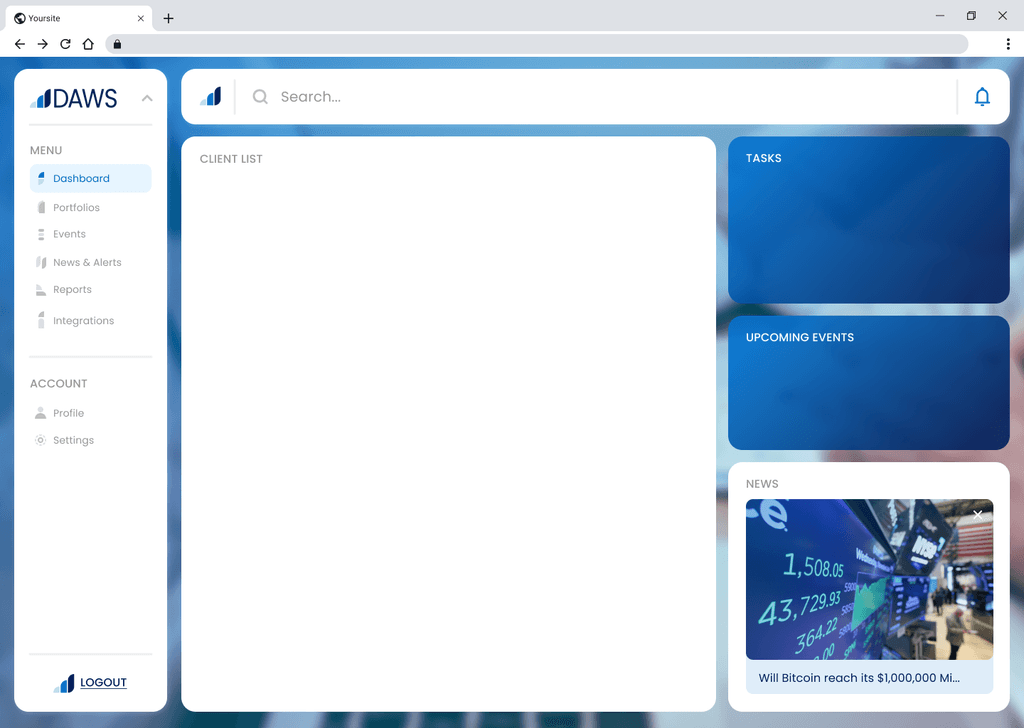
Credit: Anjani Dabkara
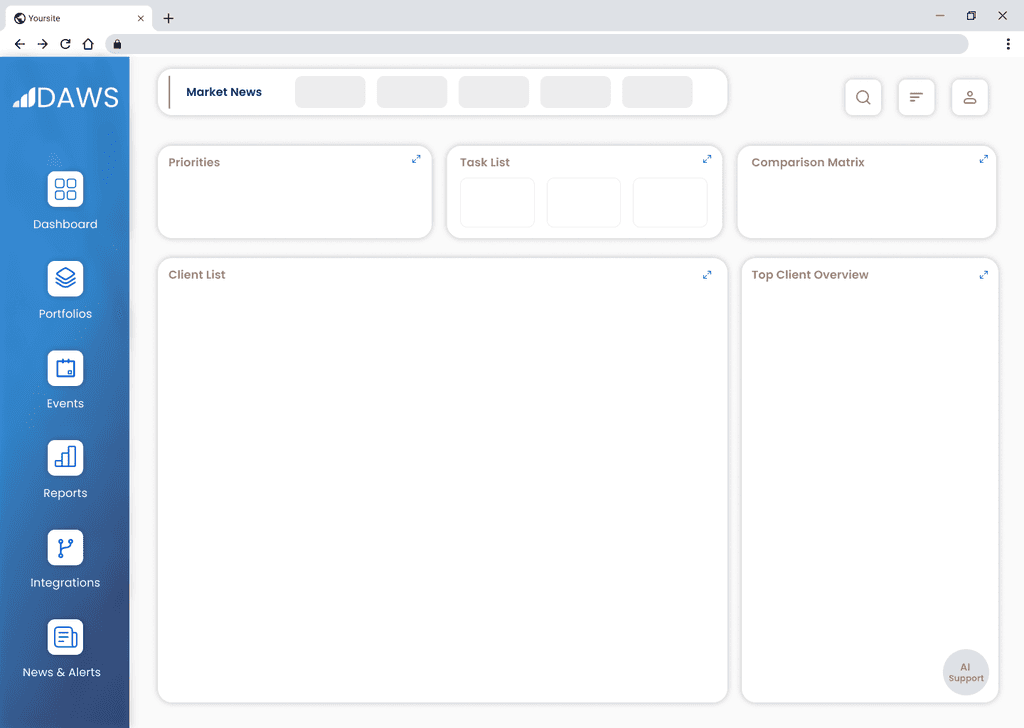
Credit: Chermia Mathis
We each created a dashboard, which we then began to merge and iterate on further. We carried the red elements to v2.
Dashboard v2
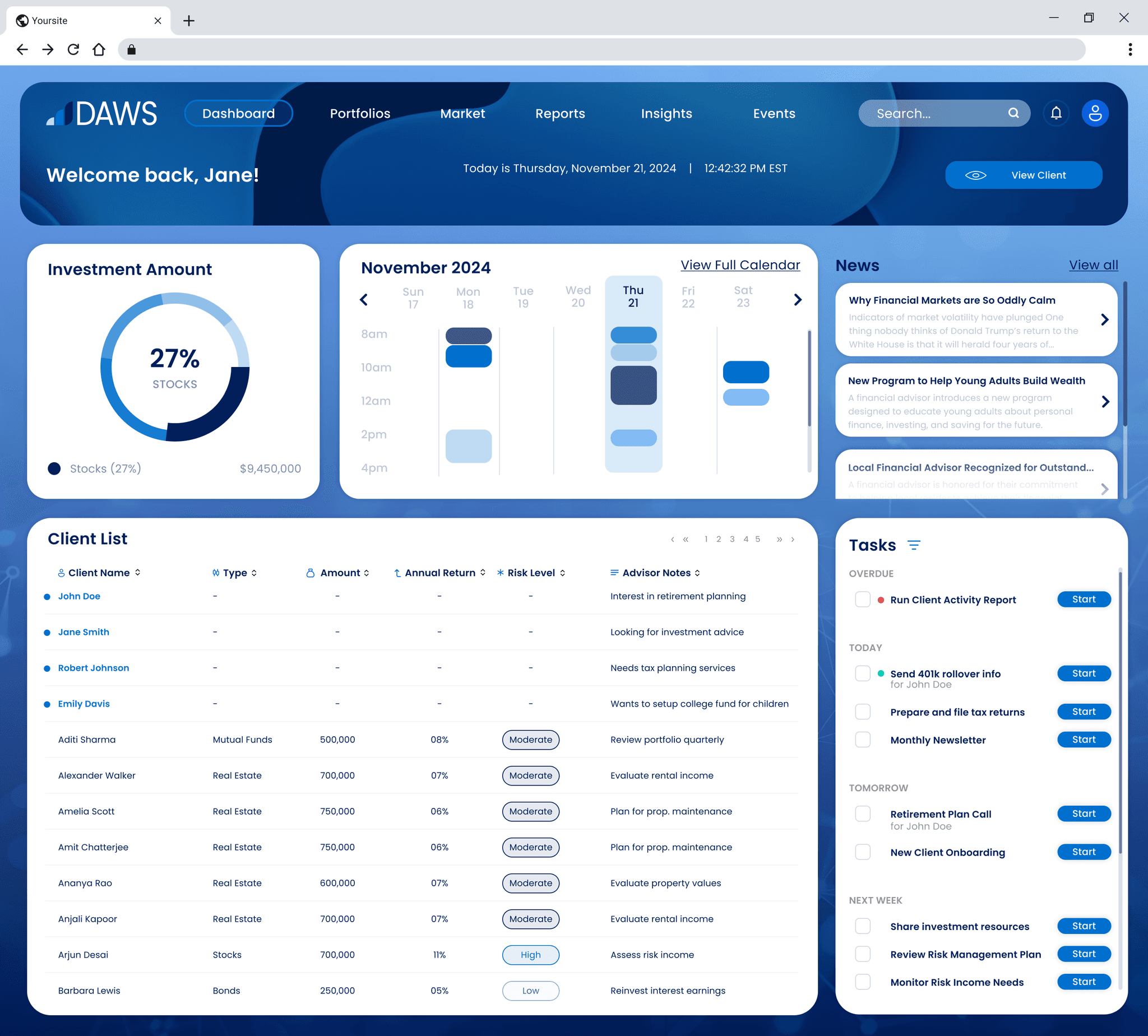
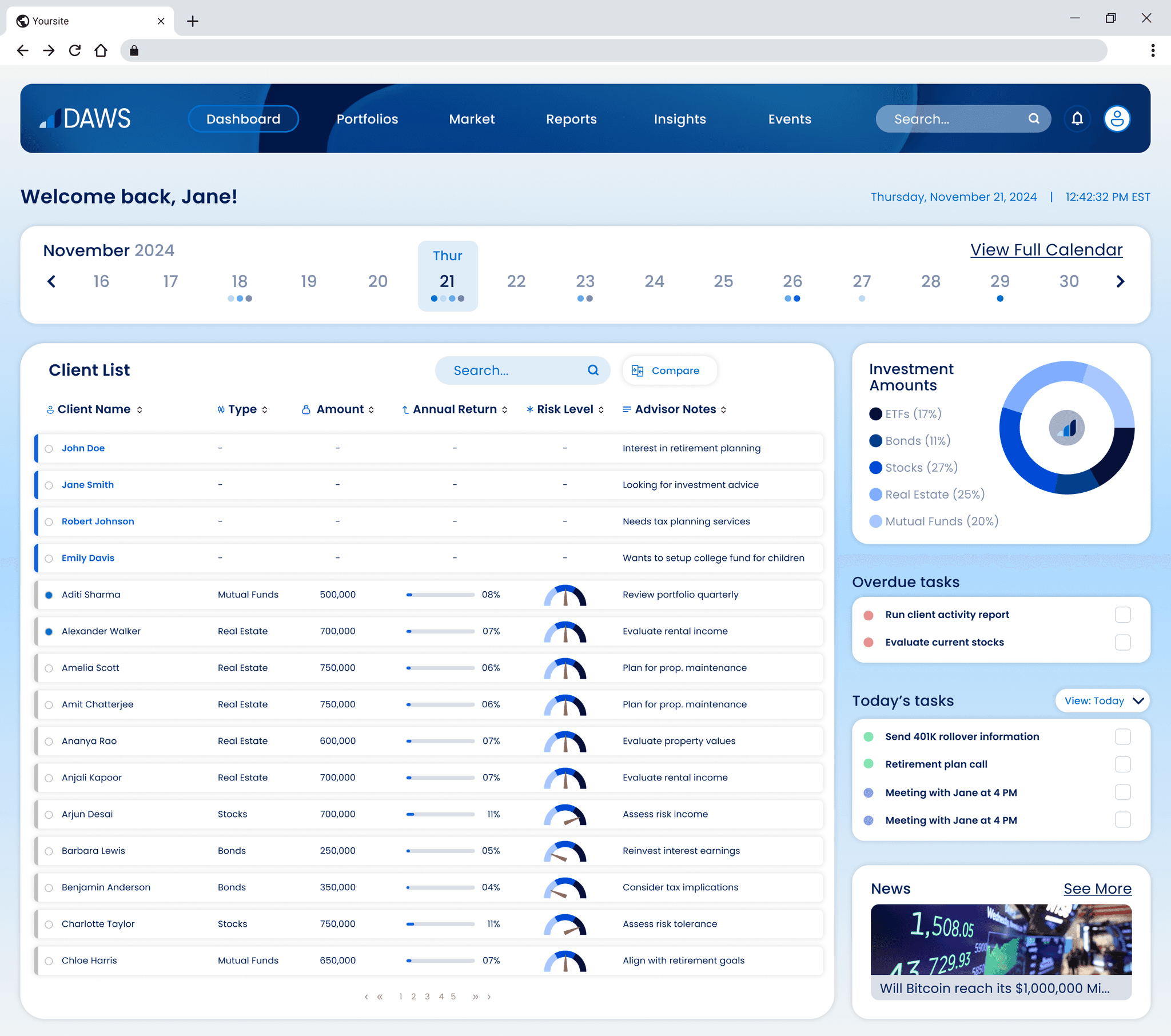
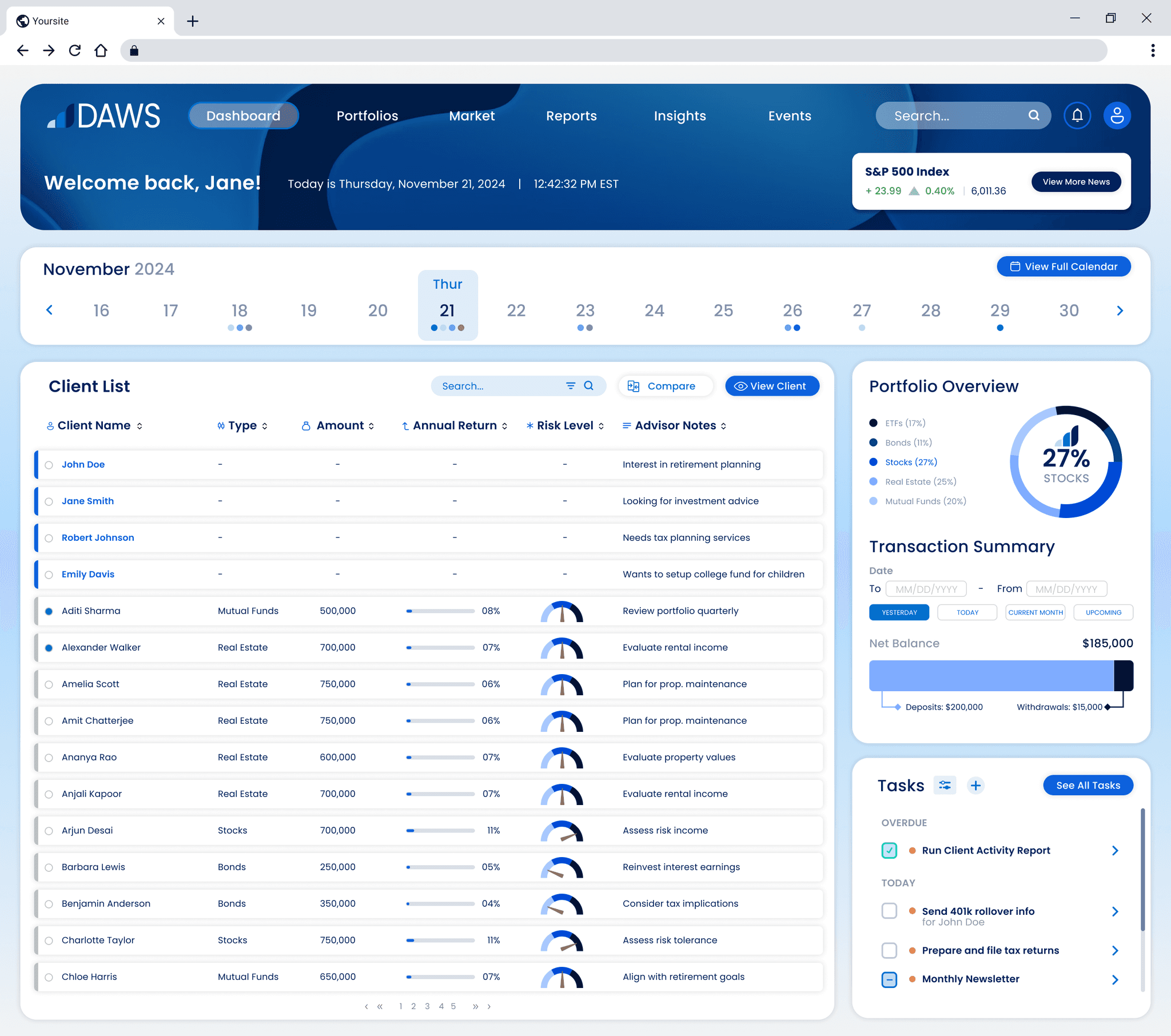
With 3 variations, we ultimately were testing placement and usage of the screen space. The third one ended up being our final dashboard.
Because of time constraints, we did not have multiple iterations for every single screen/interaction. However, we did edit them as we made them based on feedback from our SME.
Final Desktop Interfaces

Securely log in and view your advisor dashboard, where you can access the calendar, portfolio overview, and transaction summary. Easily manage your tasks, and navigate your comprehensive client list.

Customize your calendar by adding tasks and events. Track task completion and easily access them.

Access individual client portfolios and manage allocation, assess risk, and gain insights.

Communicate seamlessly with integrated communications, including email, live AI chat, and video calling.

Analyze portfolio performance against similar risk profiles to develop insights and maximize returns.

Easily access transaction history and view cash, equity, or mutual transactions.

This order management solution that lets you place multiple order types and execute transactions at lightning speed.
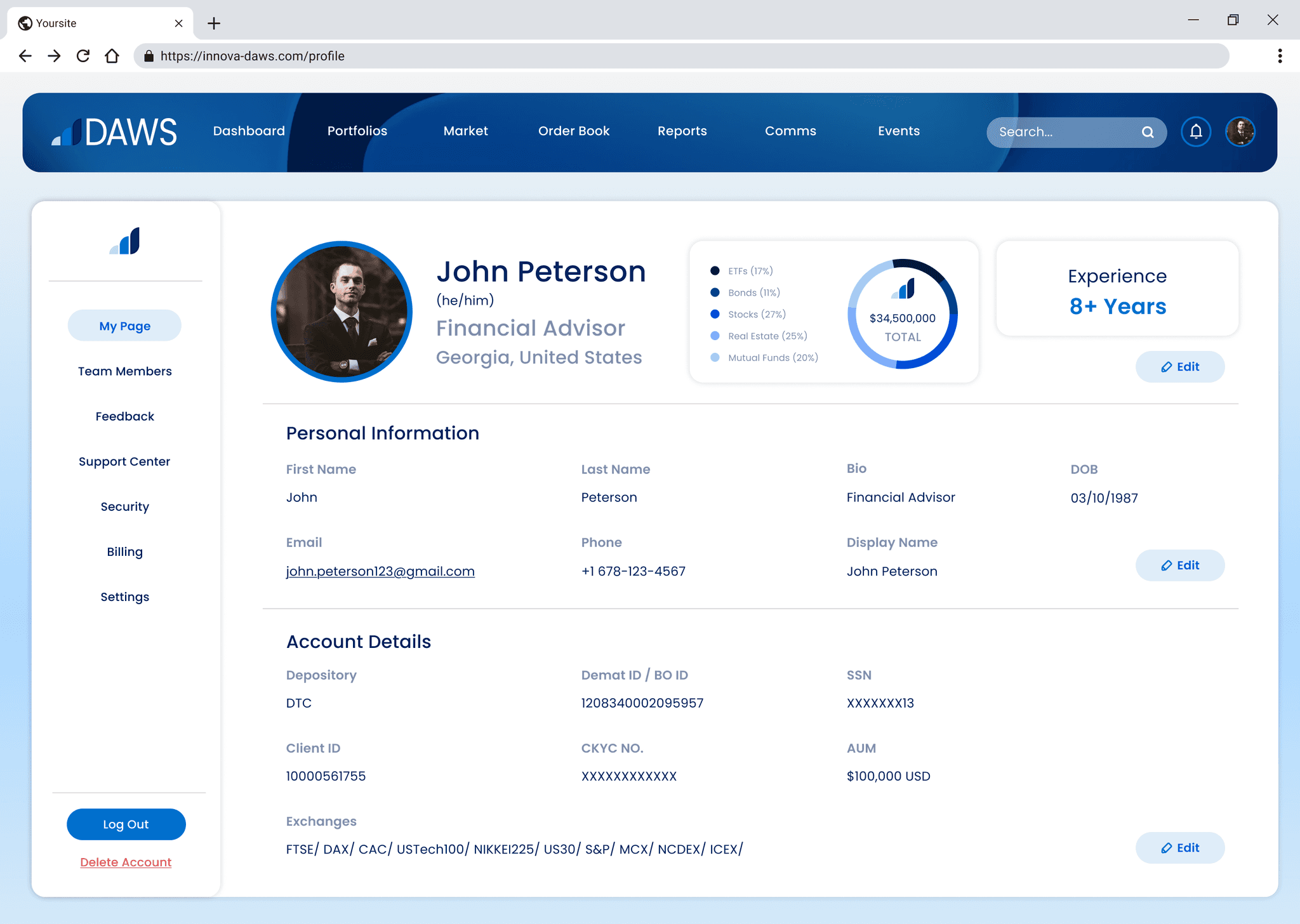
Advisor Profile
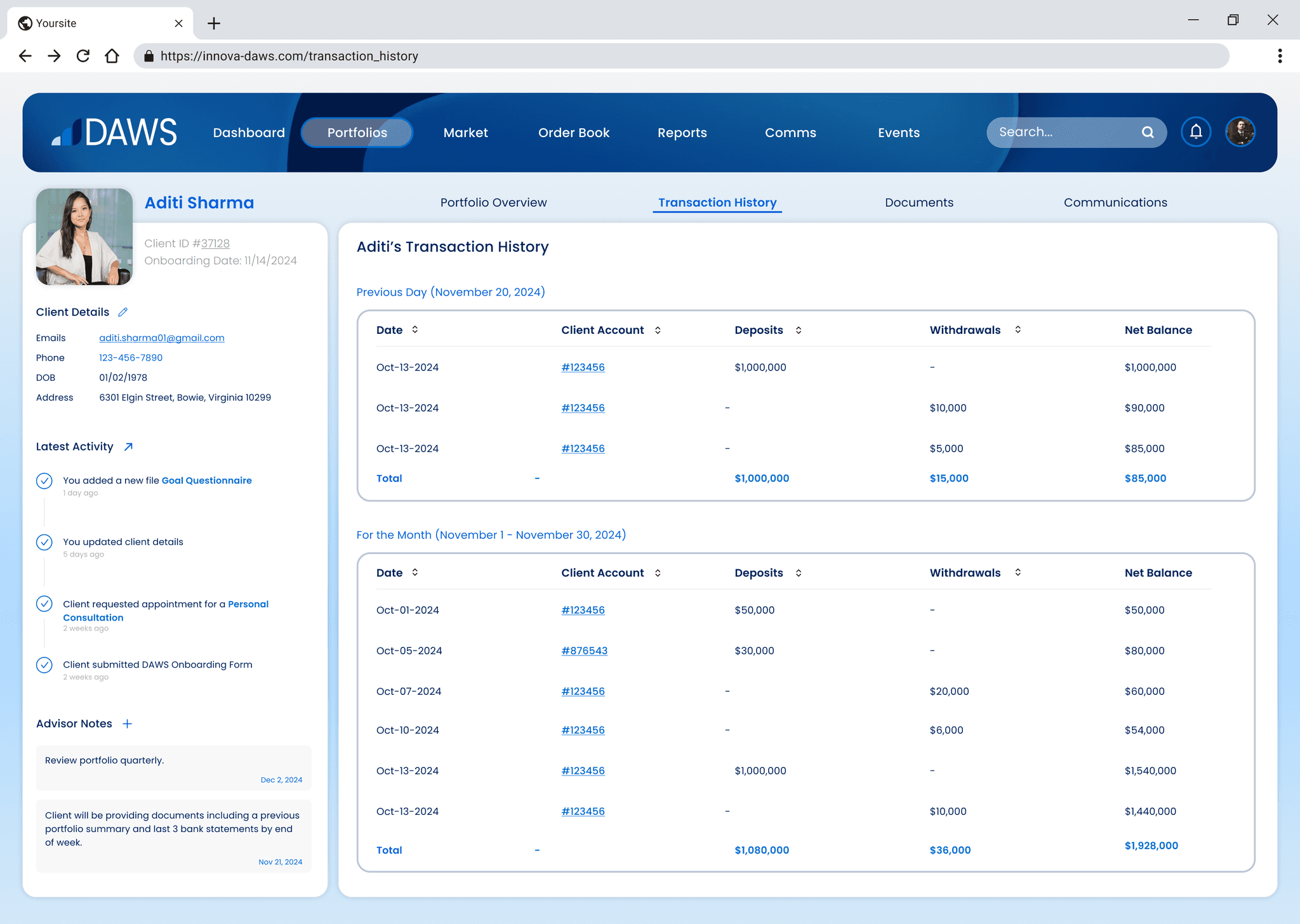
Transaction History
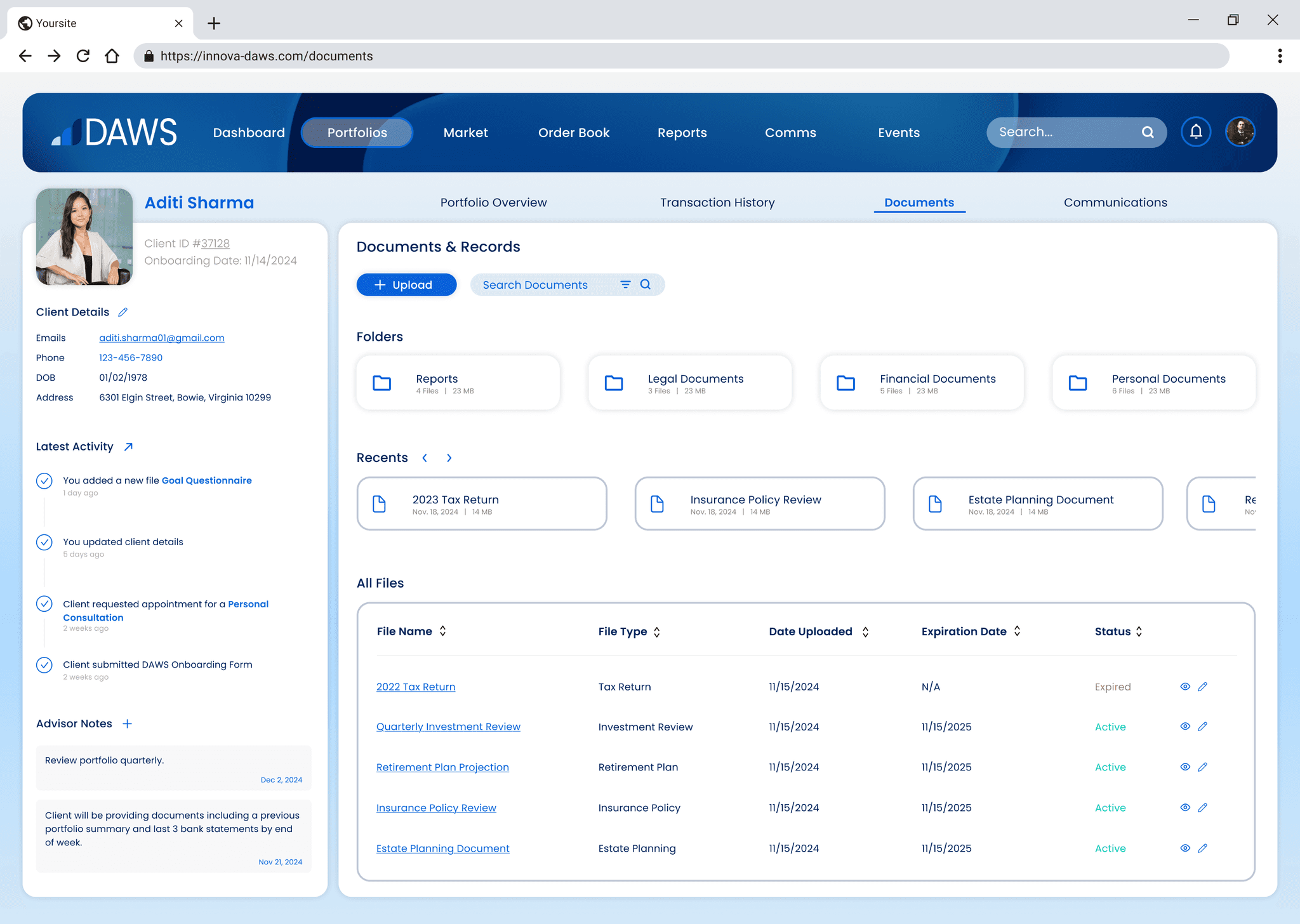
Documents and Records
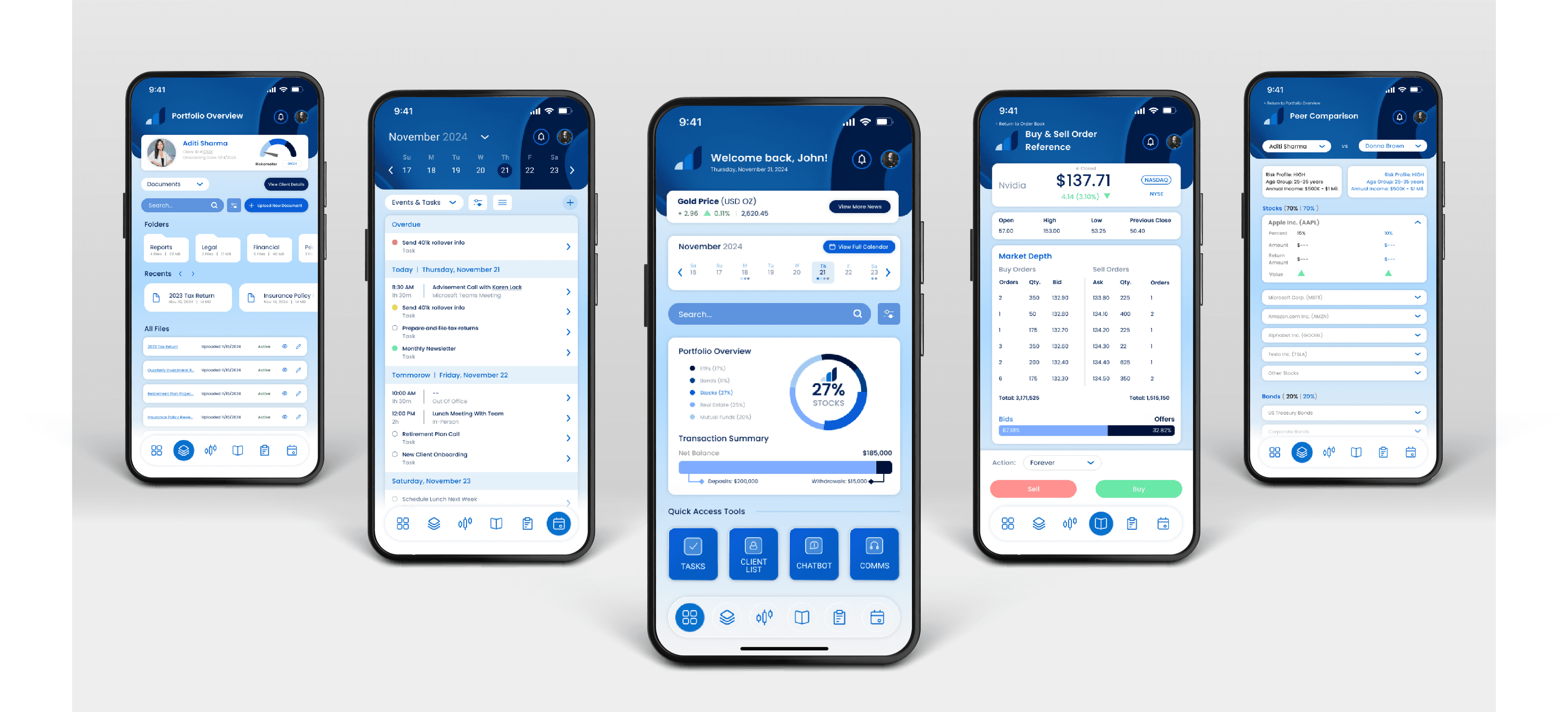
Final Mobile Interfaces

Dashboard and Advisor Profile

Calendar and New Client Onboarding

Client Portfolio

Client List and Comparison

Buy and Sell Order Reference and Order Book